Distributed Headless Browser Pools for High-Throughput Agents
AI agents need browser infrastructure built for scale, not testing.
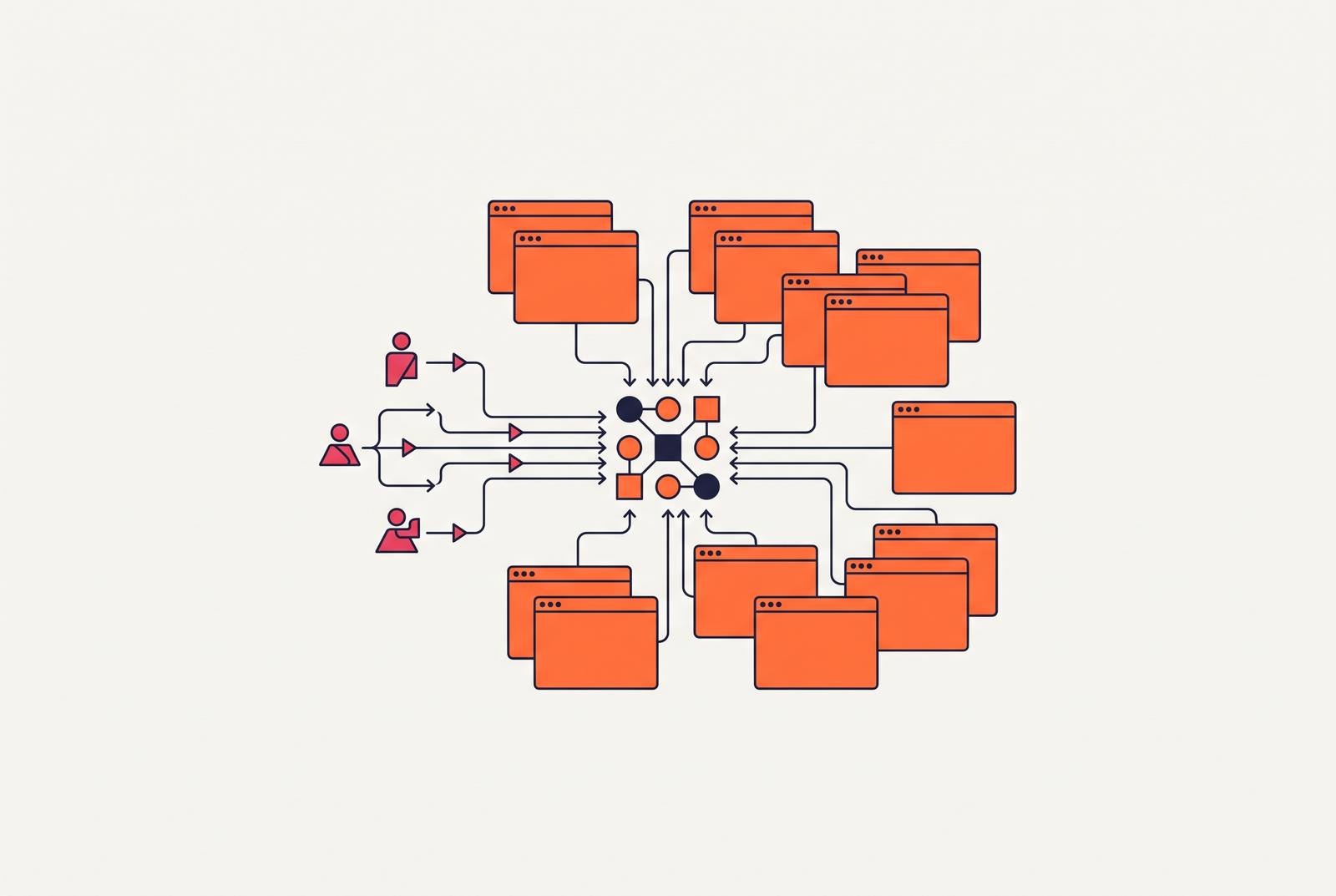
Something shifted in headless browser infrastructure over the past eighteen months, and it wasn't a new browser engine or a faster rendering pipeline. It was the customer. AI agents and data pipelines now drive the category, not QA engineers running Selenium regression suites, and that change in who's asking for browser sessions has quietly rewritten what "production-ready" means for this entire layer of the stack.
Large language models got good enough to reason about page structure, not just extract text from it. Large language models got good enough to reason about page structure, not just extract text from it. Managed browser infrastructure matured to the point where renting a session is as routine as renting compute. And the population of people who need a headless browser to do something useful expanded from a narrow band of test engineers to nearly anyone building an autonomous system that touches the web. Adoption numbers back this up: 88% of organizations now use AI regularly, and 62% are experimenting with or actively running AI agents. Agentic browser automation, specifically, has grown at a dramatic rate year over year, reflecting how thoroughly the category has been reshaped by agent-driven demand. None of the old assumptions about what a browser pool needs to do still hold, and the rest of this piece works through exactly which ones broke and what replaced them.
What a browser session costs at scale, and why self-hosted pools break before they get interesting
Start with the arithmetic, because it's unforgiving. A single Chromium instance consumes somewhere between 100 and 300 MB of RAM just sitting there. Multiplying that by a thousand concurrent sessions turns it from a hardware-sizing exercise into an orchestration problem, full stop. Provisioning enough memory is the easy part. Keeping a thousand browser processes alive, healthy, and cleanly recycled is the actual job.
Browser sessions don't behave like stateless API calls, and treating them that way is where most homegrown pools start to rot. They leak memory over long-running tasks. They crash without warning, sometimes mid-navigation, sometimes on a timer that has nothing to do with load. They hold system-level locks on file descriptors and temp directories that don't release cleanly when a process dies ungracefully. None of this appears in a demo running three sessions on a laptop.
Three or four parallel workers run clean for hours, and then push to fifteen, and timeouts start appearing at random, the kind that don't correlate with any single request or any single site. Three or four parallel workers run clean for hours. At fifteen parallel workers, timeouts start appearing at random, the kind that don't correlate with any single request or any single site. Somewhere around twenty parallel sessions, the operating system itself starts running out of room to track file handles and zombie processes, and the developer's machine stops being a viable runtime.
What self-hosting actually demands past that point is more than most teams budget for going in. Watchdog processes to detect and kill zombie Chromium instances that didn't exit cleanly. Custom autoscalers keyed to CPU and memory thresholds, since request count alone is a useless proxy for how loaded a browser fleet actually is. Pod lifecycle management that accounts for cold-start time and enforces session TTLs, so a session doesn't quietly outlive its usefulness and sit there burning RAM. And version drift across browser binaries, a source of flakiness that's genuinely hard to diagnose because a test that passed yesterday on one Chromium release can fail today on the next for reasons that have nothing to do with the code that changed.
How the rendering and protocol layer shapes every architectural decision above it
Every decision made above the browser, session pooling, retry logic, cost modeling, traces back to one choice made at the rendering layer: how does the agent actually see the page?
There are two competing models, and they trade off in opposite directions. DOM and accessibility-tree snapshots give an agent a structured view: roles, labels, focusable elements, the semantic skeleton of a page rather than its pixels. That's faster to process and dramatically cheaper in tokens, which matters enormously for high-throughput coding agents already juggling large context windows. Screenshot and vision loops go the other way. They're more general, since they don't depend on a page exposing clean semantic markup, but they're slower and far more token-hungry, and they earn their keep mainly on visual tasks where the DOM is unreliable, obfuscated, or simply doesn't reflect what's rendered.
For anything built to run at production throughput, the accessibility-tree approach is the architecturally sound default. Vision loops don't just cost more per call, they compound that cost across every step of a multi-step agent task, and that compounding is what turns a promising demo into an unaffordable pipeline at scale.
Both approaches depend on a protocol question that's reshaping the math entirely: WebDriver BiDi. BiDi is a W3C standard that runs over WebSockets, giving bidirectional, real-time streaming of network events, console output, scripting-language exceptions, and navigation lifecycle data. It's essentially a marriage of two things that used to be separate: the asynchronous network introspection that made Chrome DevTools Protocol so useful, and the cross-browser portability that WebDriver was built for but CDP never had.
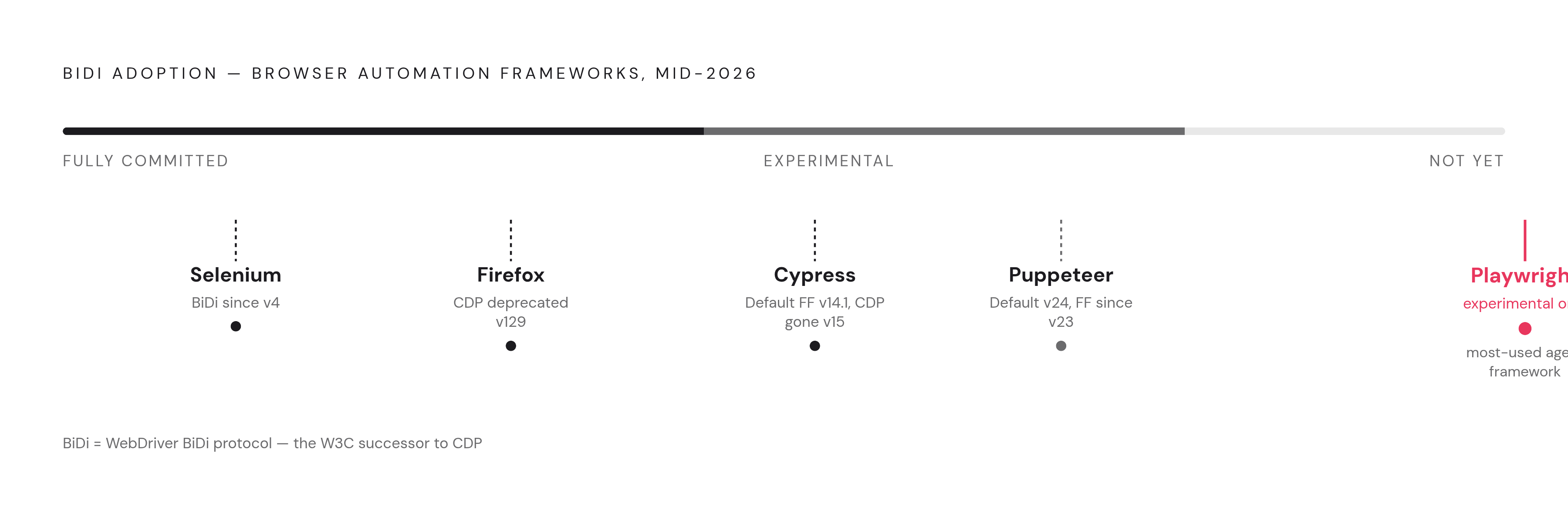
Adoption is already underway, unevenly, but underway. Puppeteer made BiDi the default starting in version 24, with stable Firefox support having landed in version 23. Selenium has shipped BiDi support since version 4. Cypress switched Firefox automation to BiDi by default in 14.1.0 and removed the Firefox CDP backend entirely in version 15. Playwright's BiDi integration is still experimental as of mid-2026, which matters given how much of the agent framework ecosystem is built on Playwright underneath.
Firefox forced part of this shift by deprecating CDP support starting at version 129. BiDi is now the only forward-compatible path for anyone automating Mozilla's browser. As of 2026, BiDi covers a large share of what CDP can do. For mainstream needs, network interception, console access, basic auth, that's plenty. For exotic use cases like heap profiling or detailed performance traces, CDP is still required, and will be for a while. The implication for anyone architecting a pool today is straightforward: a CDP-only pipeline is building on ground that's actively narrowing. A BiDi migration path isn't optional forward planning anymore, it's table stakes for a system meant to outlive the next browser release cycle.
The three open-source frameworks most agent stacks are built on
Almost every agent framework sits on top of one of three open-source projects, and the choice among them shapes everything downstream.
Playwright is the closest thing to a default. It has more than 70,000 GitHub stars, and it drives Chromium, Firefox, and WebKit through a single, consistent API, which is rarer than it sounds. Its auto-wait mechanism, which holds off on an action until an element is actually ready rather than guessing at a timeout, is widely regarded as the most reliable in its category for production agent work, where flaky waits translate directly into flaky agent behavior. Playwright is also the deterministic foundation many higher-level agent frameworks build on top of, Stagehand among them. Its BiDi support remains experimental in mid-2026, so CDP is still the practical production path for teams shipping today. It fits best for any agent stack that needs true cross-browser coverage, solid bindings across Python and Node.js, and the kind of large community that makes edge-case bugs someone else's already-solved problem.
Puppeteer, Google's Node.js project, remains the tool of choice when an agent genuinely needs direct Chrome DevTools Protocol access, deep performance profiling or fine-grained network interception that BiDi doesn't yet cover. It's historically been a tool built around one browser engine and its variants, though Firefox has been officially supported since version 23 via WebDriver BiDi, with BiDi made the default starting in version 23. Cross-browser support is now an active goal for the project, just not the primary one. It's the right call for Chrome-specific agents that need CDP's depth, though it's not the obvious starting point for a new cross-browser build.
Selenium is the elder of the three, and it still holds its ground in enterprises with entrenched Java and C# test matrices built up over a decade or more. BiDi support has shipped since Selenium 4. For a brand-new agent project starting in 2026, other frameworks offer better ergonomics out of the box.
None of this settles the actual problem this piece is about. Choosing a framework is not the same as building a distributed session pool. Playwright running on a developer's laptop does not become a distributed pool just because someone spins up more sessions in a loop, and the sections that follow are about what has to sit above the framework to make that leap real.
Agent frameworks that run on top of browser engines: Browser Use, Stagehand, Skyvern, and Vercel Agent Browser
One layer up from the raw browser engines sits a newer generation of frameworks built specifically for LLM-driven agents, and each has staked out a different corner of the problem.
Browser Use, open-source and written in Python, has become the default choice for developers building custom LLM-driven agents from scratch. It has more than 97,000 GitHub stars, with Scrapfly reporting a figure closer to 108,000. It ranks first on the Odysseys leaderboard at 87.4% and posts an 89.1% success rate on the WebVoyager benchmark, numbers that put it at the front of the open-source pack. What it doesn't do is handle anti-bot defenses on its own; proxy infrastructure and unblocking logic are left entirely to the developer to supply.
Stagehand, also open-source, ships SDKs across TypeScript, Python, and Go, which makes it a comfortable fit for teams that don't want to commit to a single language across their agent stack. Like Browser Use, it comes with no built-in anti-bot handling, so that infrastructure has to be assembled separately regardless of which of the two a team picks.
Skyvern, available both as open source and as a hosted cloud product, scores 85.85% on WebVoyager and is tuned specifically for no-code, form-heavy workflows rather than general-purpose browsing. Its anti-bot handling is limited, which makes it a stronger fit for structured form automation, filling out applications, submitting data, than for scraping sites that are actively trying to keep bots out.
Vercel's Agent Browser takes a different shape entirely: a CLI-first tool built on a native Rust core, built for AI coding assistants rather than humans. It's designed to slot into tools like Claude Code and Cursor, and its compatibility list extends to Gemini CLI, GitHub Copilot, Goose, OpenCode, and Windsurf. It's free, and like Browser Use and Stagehand, the developer supplies their own infrastructure underneath it.
What managed browser pools provide, and how to evaluate them for agent workloads
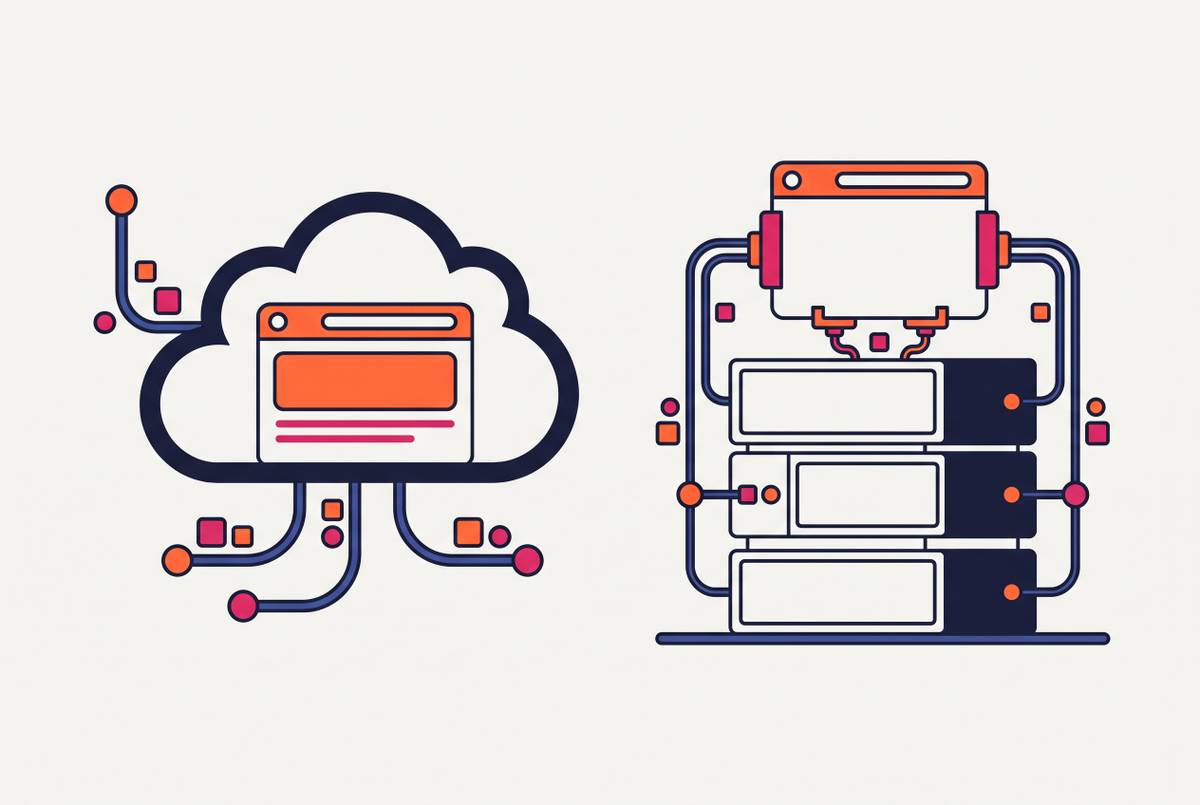
Everything covered so far, memory arithmetic, protocol choice, framework selection, is infrastructure a team has to build or rent. Managed browser pools exist because building all of it in-house is a full-time job that has nothing to do with what an agent is actually supposed to accomplish. The core value a managed service brings is absorbing fleet management, autoscaling, region routing, browser version pinning, crash recovery, and session lifecycle, so engineering time goes toward agent logic instead of babysitting Chromium processes.
Evaluating one of these services for agent workloads specifically, rather than for old-fashioned QA automation, calls for a different checklist than the one most vendor comparison pages default to.
Because an agent task often spans multiple steps, session isolation and persistence must keep cookies and local storage intact across all of them, not just within a single page load. An agent pipeline that queues hundreds of tasks at once needs new sessions available within seconds. A pool can grow with demand or hits a wall right when it matters, depending on the concurrency ceiling a provider actually enforces and how pricing scales against it. Anti-bot and CAPTCHA handling either comes built in or it doesn't. If it doesn't, that's a third-party solver a team now has to integrate and pay for separately. Observability, session replay, HAR capture, console logs, is what turns debugging a production agent from guesswork into an actual process. And protocol compatibility decides whether a team is locked into one vendor's SDK or can connect over standard interfaces like connectOverCDP() and keep the framework layer portable.
One provider distinguishes itself on a different axis. Cloudflare identifies its own browser sessions as bots, using cryptographic signatures rather than disguising them as human traffic. That's a meaningfully different legal and compliance posture from providers built around bypassing bot protection, and it's a real factor for anyone operating in a regulated industry where "we told the target site what we were" carries weight.
None of this is a niche concern anymore. With 94% of enterprises now running on public cloud infrastructure, managed browser automation has become the pragmatic default rather than the exception that needs justifying.
Provider comparison: Browserbase, Browserless, Steel, Bright Data, Cloudflare, and Hyperbrowser
Browserbase has emerged as one of the more visible names in this space, and the funding trajectory reflects it: a $40 million Series B at a $300 million valuation in June 2025, backing a platform that processed 50 million sessions across more than 1,000 customers in 2025. It's been described as "AWS for headless browsers," managed, cloud-hosted instances tuned specifically for AI agents rather than retrofitted from a QA tool. Its Developer plan carries no subscription fee and includes $5 in monthly credits with five concurrent browsers; Hobbyist runs $30 plus usage with ten concurrent browsers; Start-Up runs $200 plus usage, includes $50 in credits, and scales to 150 concurrent browsers. CAPTCHA handling is built in across reCAPTCHA v2, hCaptcha, and Cloudflare Turnstile, with proxy routing through residential or datacenter options. Observability covers session replay along with video, HAR, and screenshot capture, plus console and network logs, and its readiness features for automated agents include intent-based element targeting for dynamic single-page apps where a fixed selector would break. it has become a prominent choice for teams deploying browser agents at real scale.
Browserless takes a more execution-focused stance: cloud infrastructure built for high-concurrency browser workloads, reachable through REST APIs or WebSocket connections. It supports Playwright, Puppeteer, REST, MCP, and its own GraphQL-based automation layer called BrowserQL, and every session runs sandboxed, autoscaled, and observable through one unified API. Pricing starts with a free tier at 1,000 units a month, climbs through paid tiers from $25 a month at the Prototyping level up to $350 a month at Scale, and self-hosting on dedicated infrastructure is available for teams that want the option. The focus here is raw throughput, running parallel extraction jobs in the background without standing up and managing a server cluster.
Steel, released under Apache 2.0, gives teams the choice of running browser fleets in the cloud or on their own infrastructure, backed by more than 6,500 GitHub stars. Average session start time comes in under one second when the client sits in the same region, and sessions can run for as long as 24 hours, a notably long ceiling for anything doing extended, multi-step agent work. It handles session management, authentication persistence, and anti-detection natively, with CAPTCHA solving and proxy management built in rather than bolted on. It's the natural fit for teams that want the self-hosting option on the table without giving up a well-maintained, actively developed open-source API.
Bright Data's Agent Browser (marketed as its Scraping Browser) is a fully managed, cloud-based platform that supports Puppeteer, Selenium, and Playwright with zero infrastructure setup on the customer's end. It auto-scales to more than a million concurrent sessions, with CAPTCHA solving built in, and pricing runs pay-as-you-go at $8 per GB, with tiered plans at $499 a month for 141 GB, $999 for 332 GB, and $1,999 for 798 GB, plus custom enterprise pricing above that. The whole platform is positioned for enterprise-scale data operations, leaning on Bright Data's proxy network as the backbone underneath the browser layer.
Cloudflare's differentiator was already covered above and bears repeating here in context: identifying its own sessions as bots through cryptographic signatures rather than masking them. That's a distinct compliance posture from the rest of the field, and it belongs in the same conversation as pricing and concurrency limits for any team operating under regulatory scrutiny.
Hyperbrowser rounds out this list of providers under active comparison in the market, alongside the five above, though the specific figures on its pricing, concurrency limits, and built-in tooling aren't detailed enough here to compare feature for feature the way the others are. What's clear from the field as a whole is that the market has split cleanly between fully managed platforms built for teams that want infrastructure to disappear entirely, and open-source or self-hostable options for teams that want the managed convenience without giving up the ability to run it themselves when that matters.
Sources
- 7 Best AI Browser Agents for Automation and Scraping in 2026
- 11 Best AI Browser Agents in 2026
- Cloud Browser Automation: The Complete 2026 Guide | Browserbase
- Headless Chrome at Scale: CPU, RAM, and Cost Optimization Strategies | by ProxyEmpire | Medium
- Scaling a Headless Browser Fleet to 10,000 Concurrent Sessions: What That Number Actually Buys
- cloudflare.com
- github.com
- browser-use.com